
Appress can send notifications for WooCommerce order events, Voxel theme events, and broadcast campaigns. To display a user’s notification list inside the app, Appress provides a Notifications widget that you can embed in the web layout of any app screen (for example, a dedicated Notifications screen).
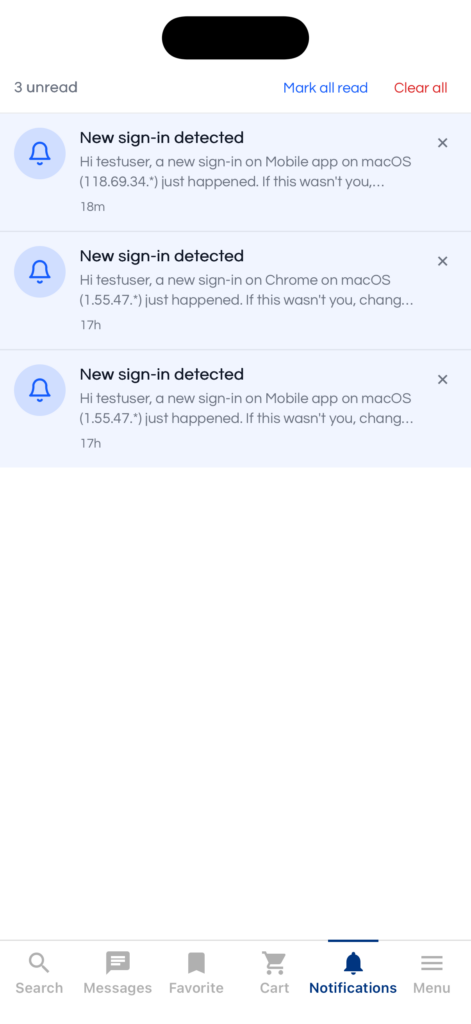
You can add the Notifications widget to your web layout using one of the following methods:
1. Shortcode
Use the [appress_notifications] shortcode. Supported attributes:
limit(int) — per-page batch size. Default10, max50.empty(string) — text shown in the empty state.mark_all(yes/no) — show the “Mark all read” button in the header.clear_all(yes/no) — show the “Clear all” button in the header.max_height(string) — CSS length; the container becomes scrollable beyond this height.class(string) — extra class(es) applied to the root element.
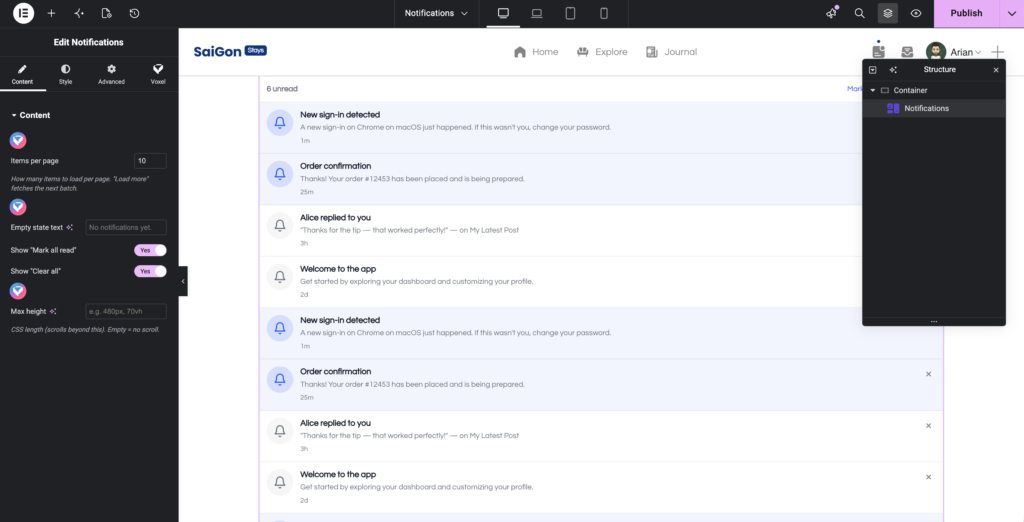
2. Elementor builder
Drag and drop the Appress Notifications widget into your layout.
3. Bricks builder
Use the Appress Notifications element.
4. Avada builder
Use the Appress Notifications element.